
Monday, February 6, 2012
Turn Your Facebook Photos into PDF Albums
Do you like this Story?
Sharing your Facebook photos with non-Facebook users (yes, there are still people who do not use Facebook) often means downloading the photos, saving them in a zip file, then emailing them. For the technologically naive, a zip file can pose a challenge, since it must be extracted to fully enjoy the photos.
Another option is to convert your Facebook photo albums into PDFs, which open with virtually no instruction at all. AlbumstoPDF.com is a service that does this the easy way.

Click the Try it Now to start using Albums to PDF.

When Facebook opens, click Go to App.

Your Facebook albums are listed. If you want to quickly create a PDF from an album, just click Express PDF. Otherwise, click Customize PDF next to the album you want to customize.

Each photo in your album is displayed. By default, whatever description you gave for the photo on Facebook will appear with the photo. Click any description to change it or add to it. Click the x next to any photo to exclude it from your PDF. When finished, click Export PDF.
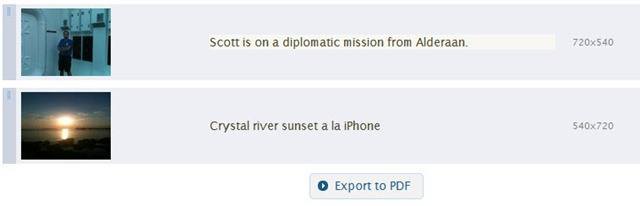
A link appears at the bottom of the screen to download your PDF. A JPG collage is also created. Click either link to download the files to your computer.
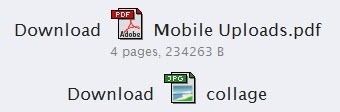
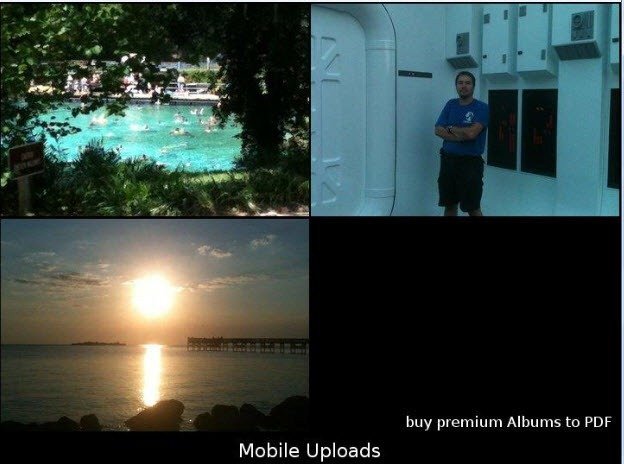
The collage tiles the photos and watermarks them. For the PDF, each photo appears on its own page, with the description and a watermark. To remove the watermark, you must buy the premium version of the software.
Album to PDF does exactly what it promises—it quickly turns your Facebook albums into nice, neat PDF files, suitable for sharing or printing as traditional photo albums. The resolution of the photos within the PDF was remarkable in our tests. We did not use photos from our professional-grade camera, but rather iPhone photos more inline with what most people share on Facebook. We were pleasantly surprised by the quality.

This post was written by: Mitul Narula
Mitul Narula is a Student, blogger, and Web Designer Follow him on Twitter and have a look on his Blogger Profile|Google Plus
Subscribe to:
Post Comments (Atom)

.png "English")









0 Responses to “Turn Your Facebook Photos into PDF Albums”
Post a Comment