
Wednesday, December 28, 2011
Install Portable Apps(Google Chrome, Mozilla Firefox, VLC player & alot more) into USB
Do you like this Story?
Install Portable Apps(Google Chrome, Mozilla Firefox, VLC player & alot more) into USB
Now you can run your favorite software in any PC without installing them into that. Yeah its true. For this you need to Install a tool named PortableApps in your USB drive and carry them along with you wherever you want. You can easily run these into that PC.
Now you can run your favorite software in any PC without installing them into that. Yeah its true. For this you need to Install a tool named PortableApps in your USB drive and carry them along with you wherever you want. You can easily run these into that PC.
By doing this a lot of time of installation of software is saved.
Also you can impress others by using your own software into their PC's.
You can install Apps like:

- Google Chrome
- Mozilla Firefox
- Team Viewer
- VLC Player
- Utorrent
- ClaimWin(Anti-Virus)
- Lightscreen Portable(Screenshot Utility)
and also other large number of Apps into it.
| One good thing about this is that these Apps will have much smaller size when installed using PortableApps as compared when they are installed in PC's. |
To install Portable Apps:
1>> Download PortableApps from here.
1>> Download PortableApps from here.
(Just Wait for 5 seconds and After that Click on Skip Ad)
2>> Plug in your USB and Install PortableApps into USB.
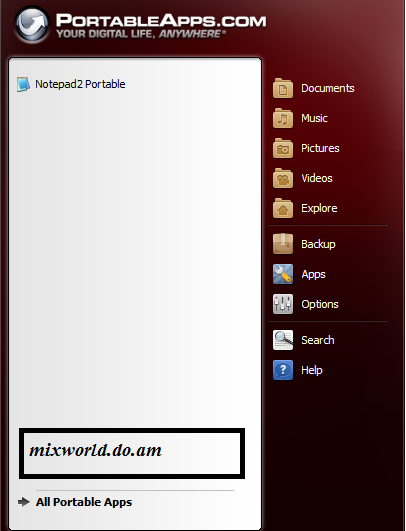
3>> Now Run it. It will open like shown below
4>> To Install your favorite Apps into it click on Apps and then on Get More Apps
5>> Now from the list choose the Apps you wanna install into your USB and click Next.
Now these Apps will be downloaded and it will itself get installed.
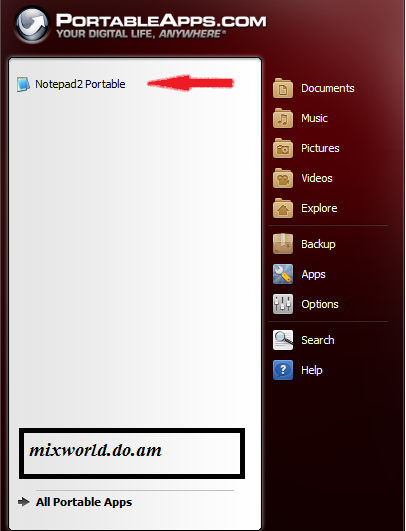
Installed Apps will be shown on the left side as this Notepad is shown below
Now you can show everyone that you are not in need of their Software in their's PC too
Enjoy and Share if you liked :)

This post was written by: Mitul Narula
Mitul Narula is a Student, blogger, and Web Designer Follow him on Twitter and have a look on his Blogger Profile|Google Plus
Subscribe to:
Post Comments (Atom)

.png "English")









0 Responses to “Install Portable Apps(Google Chrome, Mozilla Firefox, VLC player & alot more) into USB”
Post a Comment